Recording student absences and texting parents: a practical guide
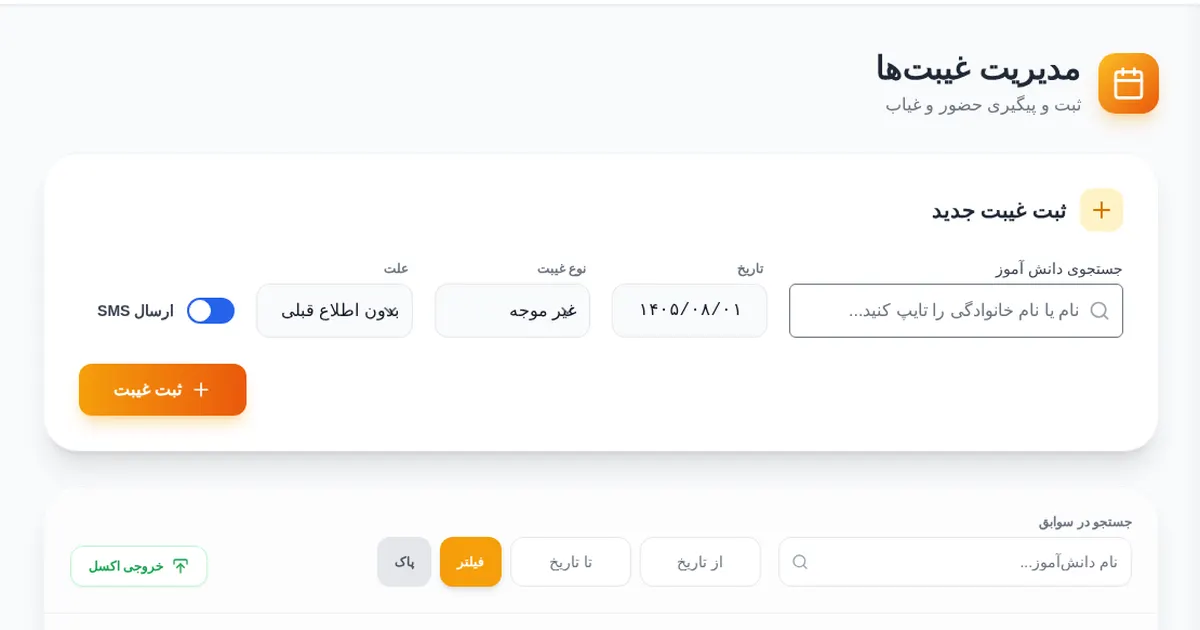
Most schools still record absences on paper, and telling the family means a phone call or nothing at all. This post lists what is actually needed to record absences and text parents. The examples come from ClassBan, software I built for a school, but the principles apply to any tool.
1. Decide what a record contains
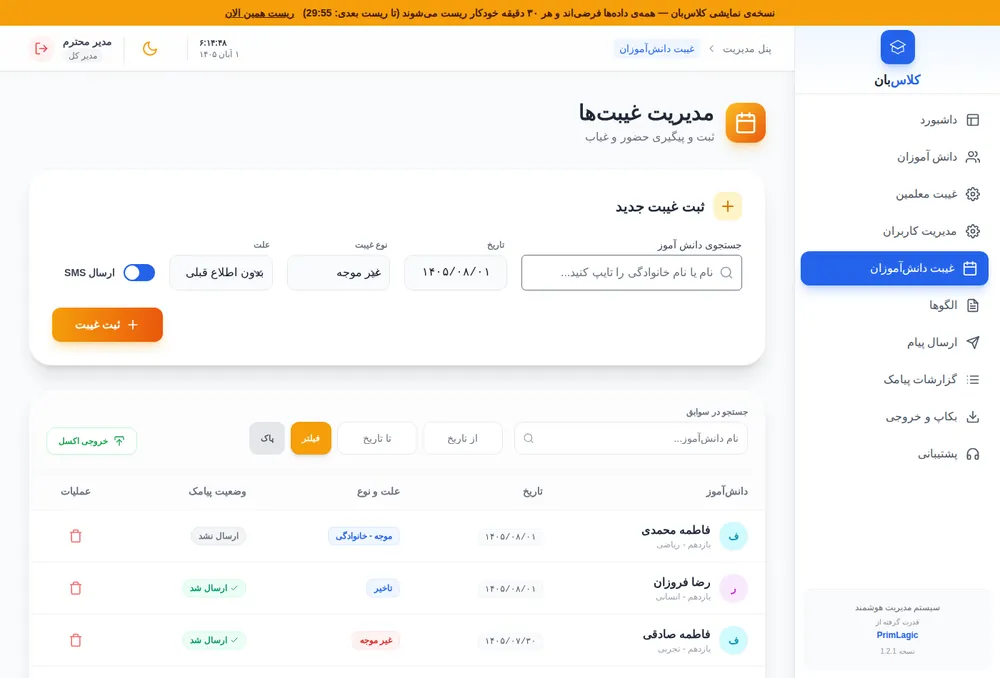
An absence record needs at least: student, date, type and reason. We separate three types: unexcused, excused and late. If every absence is stored the same way, you cannot build meaningful reports or spot a student with a recurring problem.
Use the Persian (Jalali) calendar for dates, in the message too; parents misread Gregorian dates in an SMS.
2. Collect parent phone numbers properly
Most SMS that "never arrive" fail because of a wrong or outdated number, not the SMS service. At enrolment, store numbers in one fixed format (11 digits starting with 09) and ask families to confirm the number once a year.
3. Write the message template once
Messages should be short, polite and unambiguous. In ClassBan templates have variables, and the student name, date and reason are filled in automatically:
Dear parents of {{studentName}}, your child was absent from school on {{date}}. Reason: {{reason}}
Practical tip: include the school name so parents know who is writing, and keep the tone from sounding accusing.
4. Automatic or confirmed sending?
You can send automatically when the absence is recorded, or manually after review. Automatic is faster, but if the vice principal makes a mistake the wrong message goes out. ClassBan supports both: there is a "send SMS" switch when recording an absence, and you can turn it off.
5. Have a way to correct mistakes
Sooner or later an absence gets recorded for a student who was present. If the software only deletes the record, the wrong SMS stays on the family's phone. In ClassBan, deleting an absence whose SMS was sent lets you also send a correction message.
6. Log every message
When a parent says "I never got anything", you need to see what was sent, when, by whom, and whether it succeeded. The send log is one of the most important parts of any school SMS system.
7. Separate permissions
Not everyone should see or delete everything. ClassBan has two roles: admin (everything) and assistant (students, absences, templates and messaging). User management and backups are admin-only.
Summary
Good recording means separate absence types, confirmed numbers, a polite template, a way to correct, and a log. To see these steps in practice, the live ClassBan demo runs with fake data; there is a quick-login on the first screen. The full product overview is on the ClassBan page.